Levoit Classic 36 in Tower Fan (28 dB, Smart Sensor) Review (2026)
Updated September 14, 2026 · Research-based review
Our verdict
A slim, affordable 36-inch tower fan for a bedroom or small living space, with a temperature-reading Auto mode, WiFi app control, and a dedicated sleep mode that runs at 28 dB. Its 5 speed steps offer coarser control than pricier rivals, so it suits buyers who want simple, hands-off comfort over fine-tuned airflow adjustment.
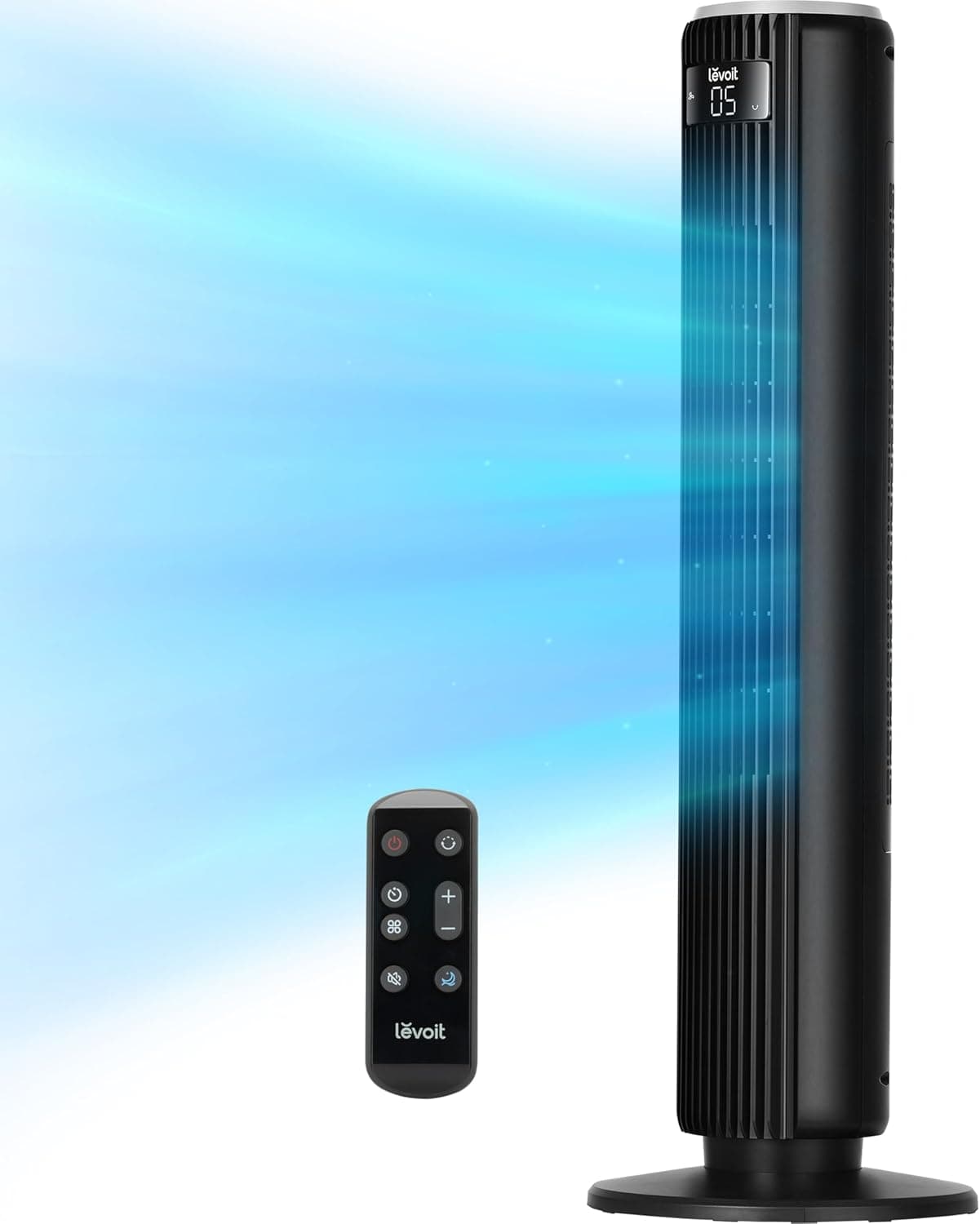
Slim, affordable bedroom tower fan running quietly with sleep mode and a 12-hour timer.
Price range: $$ (Mid-range)
What we liked
- + Quiet 28 dB operation with a dedicated sleep mode for restful nights
- + Long 12-hour timer and smart-sensor auto mode adjust to room temperature
- + Slim, lightweight 36-inch tower with a small footprint and remote
Trade-offs
- - Airflow is modest, better for small rooms than large spaces
- - Five speeds offer less granularity than 8-speed rivals
Who this fan is built for
Levoit positions this as its Classic 36-inch Smart Tower Fan, aimed at bedrooms and small living rooms where quiet, hands-off operation matters more than maximum airflow. The slim tower stands 36 inches tall with a small floor footprint, so it slots into a corner or beside a bed without crowding the room, and its 90-degree oscillation spreads air wider than a stationary desk fan. Anyone who wants to set a fan on Auto and forget about it, letting a built-in temperature sensor handle speed changes through the night, is the target buyer. Shoppers who need strong airflow for a large or open room, or who do not want to deal with a WiFi setup, should look at a higher-output circulator or a fan with only physical controls instead.
What the smart sensor and specs mean
The fan delivers about 28 ft per second of airflow, runs across 5 speeds and 4 modes, and Levoit rates it as quiet as 28 dB in its Advanced Sleep mode. The Smart Sensor drives Auto mode by reading room temperature and stepping the fan speed up or down without any manual input, while Turbo mode maxes out airflow and Normal mode leaves speed selection to the user. Control comes through a touchpad on the unit, a coin-battery remote that docks into a storage slot on the back, or the VeSync app over WiFi, which also allows connecting the fan to third-party voice assistants. That third control layer, the app, is the real differentiator from a purely mechanical tower fan, though it does require a WiFi network and a VeSync account to use.
Setting it up and living with it
Setup involves attaching the base to the tower body, plugging in, and optionally pairing the fan to a WiFi network through the VeSync app if remote or voice control is wanted; the fan works fine on manual and remote control without ever connecting to WiFi. Day to day, Advanced Sleep mode is the standout feature for bedroom use, since it starts at a chosen speed and gradually steps down as the night goes on to avoid getting cold, guided by the same temperature sensor used in Auto mode. Levoit designed the back cover to be removable for cleaning, which makes it easier to clear dust from the internal fan blades than on sealed tower fans. The remote's dedicated storage slot on the housing is a small but genuinely useful touch that keeps it from getting lost between uses.
Trade-offs and how it compares
This fan's 5 speed steps offer less fine control than rivals with 8 or more, which can make it harder to land on exactly the right airflow between two adjacent levels, and the jump from one step to the next can feel larger than on fans with finer gradation. Setting up the WiFi and VeSync app is an extra step some buyers will skip entirely, in which case the touchpad and remote still cover all the same modes without ever needing a network connection. Against the Dreo Bladeless DC Tower Fan, a similarly quiet rival with comparable peak airflow, this Levoit adds app and voice control that the Dreo lacks and gives the remote a built-in storage slot on the housing, but the Dreo offers 8 speed steps against this fan's 5, so it allows finer adjustment for buyers who want to fine-tune airflow rather than lean on Auto mode.
Bottom line
This fan fits buyers who want a slim, quiet tower fan for a bedroom or small room, value the Advanced Sleep mode and app or voice control, and do not mind a coarser 5-step speed range. Shoppers who want the finest possible control over airflow, or who prefer a fan with more speed steps and no app dependency at all, should compare a rival with 8 or more speeds before buying. It is also a reasonable pick for anyone who already uses other VeSync-connected Levoit devices, since it slots into the same app and voice-assistant setup without extra accounts. Our score of 7.6 out of 10 reflects solid fit for small-room bedroom use with reasonable value for the smart features included.
Frequently asked questions
Does this fan need WiFi to work?
No, WiFi is only needed for app and voice control through the VeSync app. The touchpad and included remote control every mode without any network connection.
How quiet is the sleep mode?
Levoit rates the Advanced Sleep mode as quiet as 28 dB, and it gradually lowers fan speed through the night using the built-in temperature sensor.
What does the Smart Sensor Auto mode actually do?
It reads the room's temperature and automatically raises or lowers the fan speed, so no manual adjustment is needed as conditions change.
How does the airflow compare to other 36-inch tower fans?
It moves about 28 ft per second of air, competitive with similar tower fans, though its 5 speed steps give coarser control than rivals offering 8 or more steps.
Prices change often, so check the current price and availability on Amazon.
Check price on AmazonSmall Space Picks may earn a commission from the link above.